

A physical security risk assessment helps IT leaders understand how people, buildings, equipment, and connected systems could be exposed to harm or disruption. It is not just a door-and-camera checklist. A useful physical security risk assessment connects a facility’s real-world threats to business impact, existing safeguards, and practical next steps. This guide explains how to scope the work, assess risk, document findings, and turn them into an owned improvement plan.
Discuss your physical security priorities
What should a physical security risk assessment cover?
A physical security risk assessment is a structured review of the ways physical conditions or events could affect people, facilities, information, technology, and operations. The goal is not to promise that every incident can be prevented. It is to make risk visible enough for leaders to choose reasonable protections and prepare for disruption.
For an IT leader, the scope should extend beyond the server room. Consider offices, laboratories, production areas, network closets, data rooms, loading areas, remote locations, and any place where staff or visitors can reach sensitive equipment or information. Include supporting systems such as badge access, cameras, alarms, environmental monitoring, and the networks or cloud services those systems depend on.
The assessment should bring together several perspectives. IT understands infrastructure and system dependencies. Facilities knows building layout, maintenance, and daily access patterns. Security personnel understand procedures and incident handling. Business leaders can explain which operations, processes, and locations matter most. Where the organization has specialized safety, privacy, legal, or compliance responsibilities, include those owners too.
- People: Employees, contractors, visitors, service providers, and anyone responsible for responding to an incident.
- Places: Building entrances, restricted rooms, production areas, shared spaces, remote sites, and perimeter areas.
- Assets: Devices, network equipment, records, samples, production machinery, and physical keys or credentials.
- Systems: Access control, video surveillance, alarms, environmental sensors, communications, and their supporting infrastructure.
- Operations: Essential processes and the facilities or equipment needed to keep them running.
Physical safeguards are also part of a broader risk picture. An access control system may be connected to a business network; a power or cooling failure can interrupt technology; and a site incident can affect the confidentiality or availability of data. A review that considers these relationships helps teams avoid treating physical and IT security as separate problems. Organizations evaluating a wider IT consulting and planning need can use the findings to inform broader technology priorities.
How should leaders define scope and business context?
Start by defining what decision the assessment needs to support. Is the organization opening a facility, changing how visitors are received, preparing for an audit, responding to a near miss, or reviewing controls after a business change? A clear purpose helps determine which locations, processes, risks, and evidence deserve attention first.
Set boundaries before walkthroughs begin. List the included sites, buildings, areas, systems, and teams. Record exclusions and explain why they are outside the review. Note whether the work is a high-level review, a detailed site assessment, or an evaluation of a specific risk. A limited review should not be represented as a complete assessment of every facility or control.
Next, identify the business context. Ask leaders what must continue during a disruption, which assets or spaces are sensitive, what downtime would mean, and which dependencies are difficult to replace. For example, a manufacturing site may depend on a network closet serving production equipment, while a life sciences organization may need to protect controlled spaces, equipment, records, and samples. These examples are prompts to investigate, not assumptions about a particular site.
Collect a basic asset and location inventory. It does not need to be perfect before the assessment begins, but it should be adequate to guide inspection and interviews. Include the asset owner, location, purpose, access requirements, and operational dependency where known. Document uncertainty instead of silently filling gaps.
| Assessment element | Questions to answer | Useful output |
|---|---|---|
| Business scope | Which operations, sites, and services are in scope? What is excluded? | Scope statement and assumptions |
| Critical assets | What people, information, equipment, and processes need protection? | Prioritized asset and dependency list |
| Threats | What events are plausible for this location and operating model? | Threat scenarios tied to assets |
| Weak points | Where could an event reach an asset or interrupt an operation? | Observed vulnerabilities and control gaps |
| Risk treatment | What should change, who owns it, and when will it be reviewed? | Approved action register |
Make sure the right people can participate without sharing more sensitive information than necessary. A facility plan, camera layout, access roster, or network diagram can itself create exposure. Share records through approved channels, restrict access to people with a business need, and follow the organization’s privacy and information-handling rules. BCS365’s privacy policy describes its published approach to privacy; organizations should also apply their own policies and agreements to assessment records.
Which threats and scenarios should the assessment consider?
Threat scenarios should reflect the organization’s locations, activities, and operating conditions. Avoid copying a generic list and assuming every item has equal relevance. A threat is useful when it can be connected to a specific asset, vulnerability, and business consequence.
Depending on context, scenarios might include unauthorized entry, theft, vandalism, tailgating, misuse of a badge, loss of a key, a visitor entering a restricted area, or damage to critical equipment. Consider environmental and operational events as well, such as fire, water intrusion, temperature excursions, power loss, severe weather, or a building access interruption. The assessment should distinguish plausible scenarios from remote possibilities and record the basis for its judgment.
Think through how an incident could unfold. For example: a contractor’s access remains active after a project ends; the credential is used to enter a restricted equipment area; the intrusion is not noticed promptly; and a disruption affects a dependent service. The value of the scenario is not in predicting an exact event. It reveals questions about access termination, monitoring, response ownership, and recovery arrangements.
The Cybersecurity and Infrastructure Security Agency’s physical security resources provide background for owners and operators considering physical security planning. Use an authoritative reference to inform the assessment, but tailor scenarios to your own site and business context.
For sites that include connected cameras, badge readers, or sensors, include both physical and technical failure paths. Could a power interruption disable a reader? Is the system dependent on a network connection or central service? Who receives alerts? What happens if a device is offline, a door is held open, or an alarm is not acknowledged? An organization reviewing its network security arrangements may need to examine how these devices are segmented, administered, and monitored.
How can teams identify vulnerabilities and test safeguards?
Use a combination of document review, interviews, and observation. No single method reveals the whole picture. Policies can describe intended practice, while a walkthrough can show how a space actually operates. Interviews help explain why an exception exists and whether staff know what to do when a control fails.
- Review relevant records. Examine site plans, access procedures, visitor processes, maintenance records, incident logs, emergency plans, equipment inventories, and prior findings. Confirm that documents are current and identify gaps.
- Walk the site with an owner. Observe entry points, restricted spaces, asset locations, lighting, signage, reception processes, doors, and the placement of safeguards. Do not test, bypass, or manipulate a live control without explicit authorization.
- Ask how exceptions are handled. Explore temporary badges, lost credentials, after-hours access, deliveries, contractors, alarms, and system outages. Determine who approves exceptions and how they expire.
- Trace important dependencies. Identify what supports access control, alarms, communications, and essential equipment, including power, connectivity, vendor support, and backup processes.
- Validate the response path. Confirm who receives an alert, who decides what it means, how responders are contacted, and how the event is recorded and escalated.
During a walkthrough, observe the normal user experience as well as the boundary between public, shared, and restricted areas. A control may be technically installed but undermined by routine practices. Examples include doors routinely propped open, credentials shared between workers, visitor badges not returned, or outdated access lists. Treat these as observations to verify with responsible owners rather than as proof of deliberate misconduct.
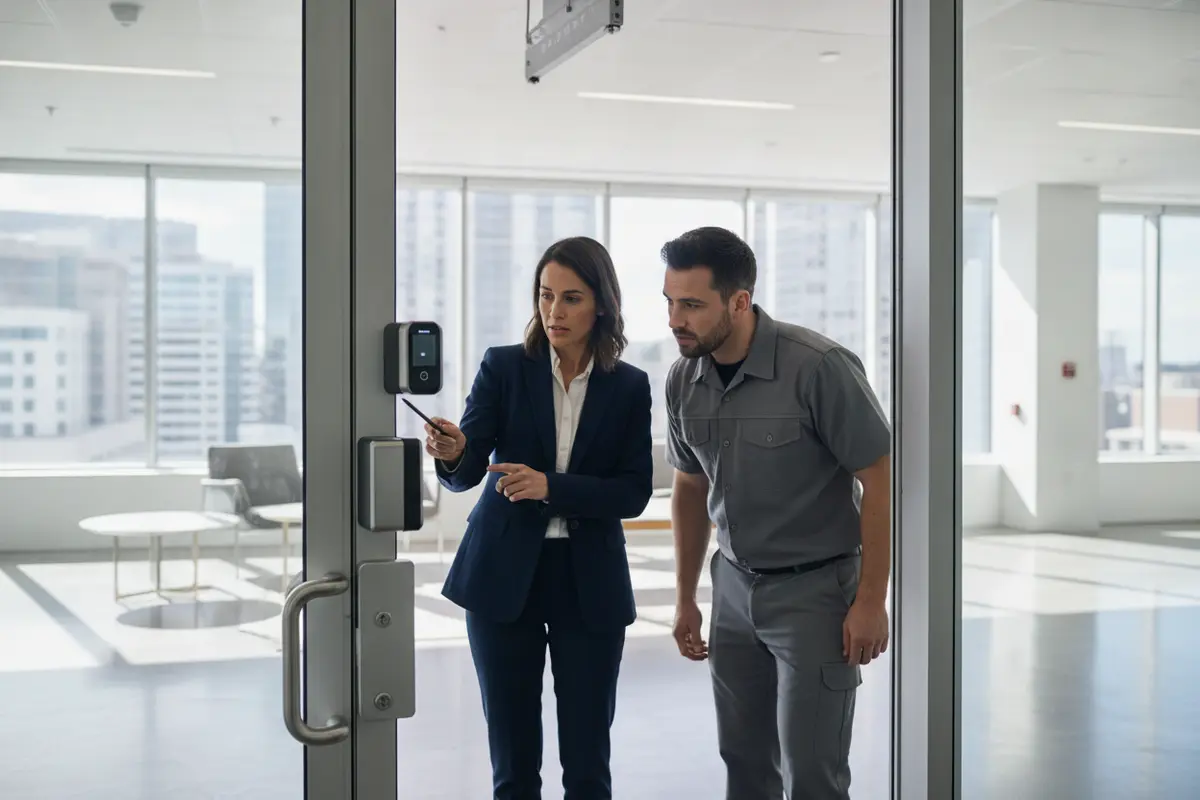
Interviews should be specific and non-accusatory. Ask a receptionist how an unannounced visitor is handled, a facilities manager how a damaged door is reported, and a system owner what happens when an access reader loses connectivity. Ask staff how they would report a suspicious event or find current emergency instructions. Answers can reveal mismatches between formal procedures and actual practice.
Document evidence in a way that supports a decision without creating unnecessary exposure. Record the date, location, control or process reviewed, observation, source, and any limitation. Avoid including access codes, detailed exploitable diagrams, personal information, or sensitive camera placements in a broadly shared report. Keep sensitive appendices restricted and use approved storage.
How should IT leaders rate and prioritize physical risks?
There is no single scoring scale that fits every organization. Use a method that leaders understand and can apply consistently. A simple qualitative approach considers the likelihood of a scenario, the impact if it occurs, and the strength or reliability of existing safeguards. Define the scale before rating findings so that a “high” risk means roughly the same thing across sites.
Impact can include harm to people, interruption of an essential process, loss or exposure of information, equipment damage, regulatory or contractual consequences, and recovery effort. Likelihood should reflect relevant evidence and conditions, not just intuition. Consider exposure, frequency of access, local conditions, prior events, and whether safeguards are consistently used. Be explicit when evidence is incomplete.
A practical rating need not pretend to be mathematically precise. A three-level scale may be enough for initial prioritization, provided the organization defines what each level means. For example, a high-priority finding could involve a credible scenario with significant effect on people or essential operations and a weak or unverified control. A moderate finding may have meaningful impact but stronger safeguards or lower exposure. A lower rating can still require action where the control is mandatory or the consequence is unacceptable.
- Urgent: A credible, serious exposure requiring immediate containment or leadership attention.
- Priority: A material gap with a clear owner and a planned corrective action.
- Monitor or improve: A lower-level concern, accepted risk, or longer-term enhancement that still needs a review date.
Apply judgment across the full scenario. The same weakness may carry different importance at different sites. A door that does not reliably latch could be a serious concern if it protects a critical equipment room, but a less consequential issue in a controlled common area. Conversely, seemingly modest issues can combine: unclear visitor procedures, weak credential removal, and no alert owner may create greater overall exposure than any one issue suggests.
Separate the risk rating from the remediation decision. Some gaps may be fixed through a process change, training, maintenance, configuration, or physical upgrades. Others may require a longer project or a documented decision to accept residual risk. Record why the selected treatment is appropriate, who approved it, what temporary safeguards apply, and when the decision will be revisited.
What safeguards and response plans should be reviewed?
Assess safeguards in layers. The objective is not to maximize the number of devices or procedures, but to reduce exposure and make detection, response, and recovery dependable. A useful review checks whether each safeguard fits the scenario, has a clear owner, and is maintained.
- Access practices: Badge issuance and removal, visitor identification, contractor access, restricted-area approvals, key control, and periodic access reviews.
- Facility safeguards: Doors, locks, barriers, lighting, reception procedures, and protection for equipment rooms or other sensitive spaces.
- Detection and communication: Alarm coverage, camera operation where appropriate, alert routing, staff reporting, and reliable communications during an outage.
- Environmental resilience: Protection from fire, water, temperature, power, or other site-specific hazards that could interrupt critical equipment or operations.
- Response and recovery: Escalation contacts, decision authority, emergency actions, alternative work arrangements, recovery priorities, and recordkeeping.
Access governance deserves particular attention because access can change faster than a building or system inventory. Establish who authorizes access, who provisions it, who confirms that it remains necessary, and who removes it when roles or contracts change. Set a process for temporary access with an end date. Review exceptions and inactive credentials rather than relying solely on an annual policy statement.
Connected physical security systems also need ongoing support. Identify system owners, administrators, suppliers, maintenance responsibilities, backup and recovery expectations, and the process for handling an outage. Coordinate changes with IT so that a facilities upgrade does not unintentionally disrupt connectivity or create an unmanaged device. A review of monitoring and management responsibilities can help clarify how technology operations fit into a wider support model.
For organizations that need to review facility access as a specific control area, BCS365 provides information about access control systems. A service page is not a substitute for an independent assessment; use the organization’s actual risks and requirements to determine what is appropriate.
How can findings become an actionable improvement plan?
A report only creates value when it changes decisions or practices. Give every finding a clear description, evidence, affected asset or process, risk rating, recommended treatment, accountable owner, target date, and status. Identify dependencies and budget decisions when they are known. Avoid vague actions such as “improve security” that cannot be tested or closed.
| Finding | Action example | Evidence of completion | Accountable owner |
|---|---|---|---|
| Former contractor credentials are not consistently removed | Define a termination trigger, assign an access owner, and review active contractor accounts | Approved procedure and dated access review record | Identity or system owner with contract manager |
| Alert ownership is unclear after hours | Publish an escalation path and test how alerts reach the on-call role | Current contact path and a recorded exercise result | Security or operations lead |
| Critical room environmental alerts lack a documented response | Assign an alert recipient and define escalation and continuity steps | Approved response procedure and test evidence | Facilities and IT owners |
Sequence work by urgency, risk reduction, feasibility, and dependencies. Address immediate safety concerns and credible high-impact exposures first. Some straightforward improvements, such as clarifying an owner or removing obsolete access, may be possible quickly; physical upgrades may require design, procurement, or facilities coordination. Do not let a long-term project prevent interim safeguards where they are practical.
Assign one accountable owner for each action, even when several teams contribute. Define what “done” means, who verifies it, and where evidence will be stored. If an action is deferred, record the reason and approval rather than silently allowing the target date to pass. A risk acceptance should identify its approver, rationale, compensating measures, and review date.
Connect the action register to existing governance where possible. IT change management, facilities work orders, business continuity planning, and risk committees may already provide mechanisms to approve, track, and verify work. The assessment should strengthen these processes rather than produce a parallel spreadsheet that no one maintains.
How should evidence, ownership, and reviews be governed?
Decide at the outset who owns the assessment and who can approve its conclusions. IT may coordinate the work, but facility controls may be owned by facilities, reception procedures by operations, and emergency response by a designated business leader. Make those boundaries explicit. Shared responsibility should not mean that no one is accountable.
Store evidence according to its sensitivity. Reports can include information about weaknesses, site layouts, or access practices. Limit distribution to people who need it, set retention expectations, and use approved repositories. Keep general findings separate from restricted technical details when that allows broader leadership review without exposing unnecessary information.
Track both whether actions are completed and whether they work. Completion evidence can show that a procedure was approved or a repair was made; validation can show that the control is functioning as expected. Define a safe and authorized way to validate changes, and do not conduct intrusive tests on live systems or occupied facilities without planning and permission.
Review the assessment when conditions change, not just on a calendar. Triggers can include a new site, a major renovation, a change in critical operations, a new connected facility system, significant staffing or contractor changes, a relevant incident, or a major change in how the organization receives visitors. A periodic review can also confirm that assumptions, ownership, contact paths, and outstanding actions remain current.
Leaders can monitor a small set of useful indicators: overdue high-priority actions, time to remove access after a role or contract ends, unresolved system outages, completion of scheduled access reviews, and findings repeated across sites. Choose measures that encourage meaningful risk reduction rather than activity for its own sake. A count of cameras or badges issued does not, by itself, show that exposure is controlled.
Organizations with broader compliance and control responsibilities can align physical-security evidence with their governance processes, while keeping the assessment grounded in actual operational risks. The right reporting level depends on the audience: executives need material risks, decisions, owners, and trends; operational teams need clear tasks, context, and safe handling instructions.
What should IT leaders do first?
Begin with the business decision and the most important locations or operations. Name an assessment owner, bring facilities and business stakeholders into scope, and collect the minimum useful inventory and policies. Select a consistent rating approach, examine plausible scenarios, and record observations with appropriate care. Then assign specific actions, verify completion, and set review triggers.
Do not wait for a perfect asset inventory before addressing a known, credible exposure. At the same time, avoid treating a walkthrough as proof that every risk has been found. State the limits of the review, maintain a path for staff to report concerns, and update the assessment when the organization or its facilities change. For help planning an assessment or connecting physical security priorities with broader IT operations, review BCS365’s IT support information or contact the team to discuss your needs.
Talk with BCS365 about your IT environment
Frequently asked questions
How often should a physical security risk assessment be completed?
Set a recurring review cadence that fits the organization’s risk and governance needs, then reassess when material changes occur. A new site, renovation, incident, major operational change, or new connected system may make an earlier review necessary. The organization should document its chosen cadence and triggers.
Who should participate in a physical security risk assessment?
Include an accountable business sponsor, IT, facilities, and the people responsible for security operations and response. Add site managers, process owners, privacy, legal, safety, or compliance representatives when the scope calls for them. Include staff who perform visitor, maintenance, and access tasks so the review reflects actual practice.
Does the assessment need to include connected cameras and access systems?
Yes, when those systems support the facilities or assets in scope. Review their ownership, access, dependencies, alert routing, maintenance, outage response, and recovery. Treat them as both physical safeguards and technology assets, while limiting distribution of sensitive system details.
What is the difference between a risk assessment and a facility inspection?
A facility inspection may check the condition of a space or specific equipment. A risk assessment connects relevant threats and vulnerabilities to assets and business impact, evaluates existing safeguards, and recommends how to treat the resulting risk. Inspections can provide evidence for an assessment, but do not necessarily answer the wider business questions.
What should leaders do when a finding cannot be fixed immediately?
Document the risk, identify interim safeguards, name an accountable owner, and set a target and review date. Escalate the decision to the person authorized to accept residual risk. Revisit the finding if the situation changes or if the planned mitigation is delayed.
A well-run physical security risk assessment gives leaders a clear view of what matters, where safeguards need attention, and who will act next. Keep the process proportionate, evidence-based, and connected to the way the organization operates.